
Close the lid. Keep working.
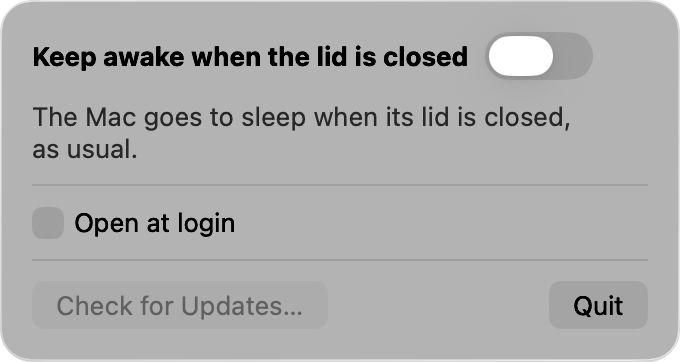
wake is a Mac menu bar app with one switch. Turn it on and your MacBook stays awake after you close the lid, so that a download, a build or a backup runs on until you turn it off.
How it works
It is closing the lid that puts a Mac to sleep. Once the lid is closed, a Mac that is awake stays awake. wake uses that, and nothing more.
One switch in the menu bar
Turn it on before you close the lid. The sentence under the switch says what is happening: waiting for your password, keeping sleep off while the lid is open, or awake with the lid closed.
Asks for your password once
The setting that stops a closing lid putting the Mac to sleep is one only an administrator may change, so turning wake on shows the system's own password dialog, each time you turn it on.
Sleep is off only while the lid is open
The moment the lid closes, sleep is enabled again, and the Mac stays awake. Nothing is left changed if the app stops, and the Mac sleeps as usual once wake is off.
Off means asleep
Turn the switch off while the lid is closed and the Mac goes to sleep at once, as it would have when you closed the lid. Quitting the app does not put the Mac to sleep.
Nothing collected
wake keeps nothing about you and sends nothing anywhere. The only connection it makes is to this site, to check for a new version.
Mind the heat
A MacBook that is awake inside a bag can get hot. Be careful when you pack one away with wake turned on.
Get wake
For a MacBook running macOS 13 or later, on Apple silicon or Intel. It updates itself.
Credits
wake is a menu bar version of caffeinate+, a command line tool by clashman, and it is built with vero. Its source is on GitHub.